Phone:
(701)814-6992
Physical address:
6296 Donnelly Plaza
Ratkeville, Bahamas.

Phone:
(701)814-6992
Physical address:
6296 Donnelly Plaza
Ratkeville, Bahamas.
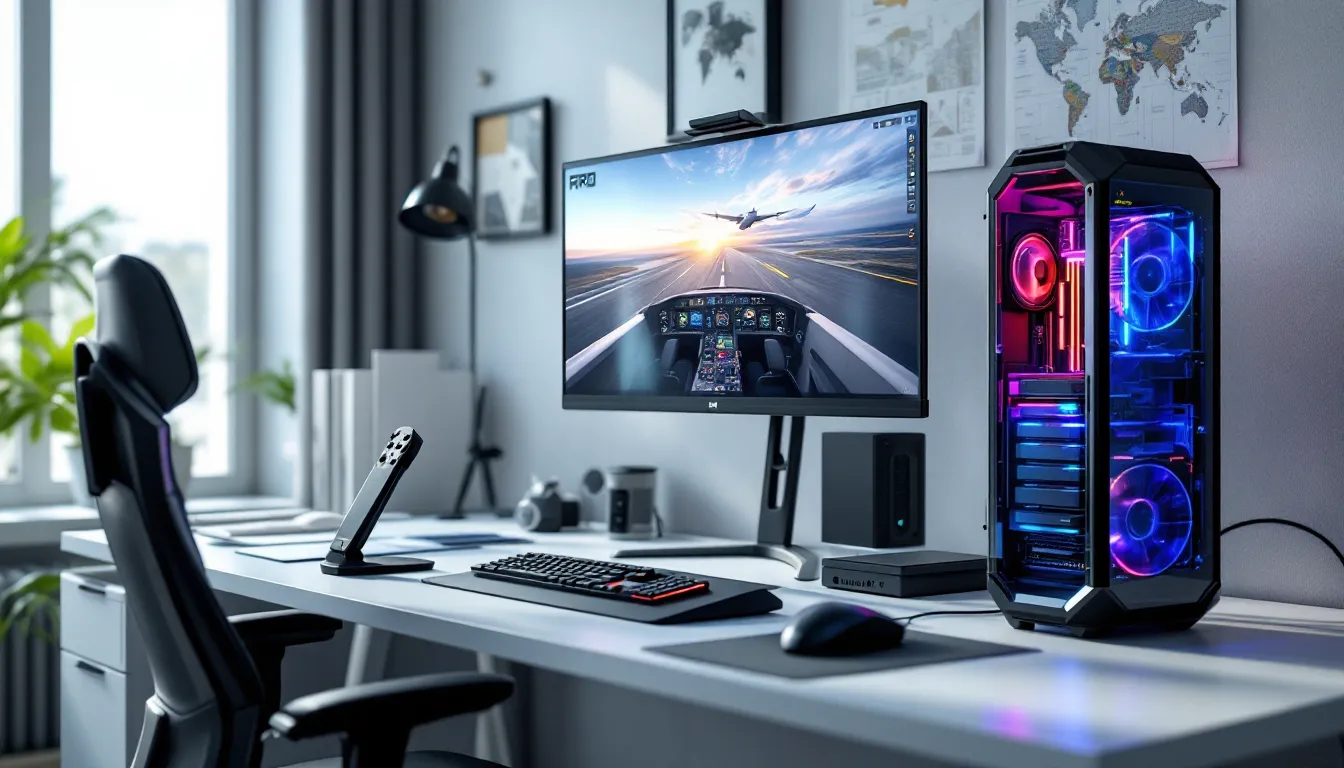
Flight simulators aren’t your typical games. While most titles focus on fast-twitch reflexes and quick matches, sims like Microsoft Flight Simulator 2024, X-Plane 12, and DCS World demand something entirely different from your hardware: sustained, CPU-intensive calculations, photorealistic rendering at scale, and the ability to stream massive amounts of terrain data without stuttering. You can’t just slap together a standard gaming rig and expect smooth performance when you’re rendering entire continents with real-world weather patterns and thousands of cockpit instruments.
Building a gaming PC specifically for flight simulation means understanding where these games push hardware differently than shooters, RPGs, or battle royales. The CPU carries far more weight than in typical games. Draw distances extend to the horizon, literally. Texture streaming never stops. And if you’re running VR, multiply all those demands significantly. This guide breaks down exactly what components matter most, where you can save money, and where cutting corners will cost you frames when you’re on final approach.
Flight simulators operate on a fundamentally different technical foundation than most games. While a battle royale might render a few square kilometers with clever LOD tricks, Microsoft Flight Simulator loads the entire planet. X-Plane calculates aerodynamic forces in real-time across hundreds of surface points. DCS World simulates individual avionics systems that would require their own processors in actual aircraft.
The computational load splits differently too. Most games lean heavily on GPU, with CPU handling AI, physics, and game logic in bursts. Flight sims flip that ratio. The CPU constantly calculates flight models, weather systems, AI traffic, and navaid updates. Your GPU still works hard, especially at 4K or in VR, but if your processor can’t keep up with simulation updates, you’ll see stuttering no matter how powerful your graphics card is.
Then there’s the streaming requirement. These sims pull terrain data, textures, and scenery assets continuously. A fast SSD isn’t optional: it’s the difference between smooth flights and constant hitches when new terrain loads. RAM capacity matters because the sim caches upcoming areas. And cooling becomes critical during those six-hour transatlantic flights where your system runs at sustained load, not the burst patterns of typical gaming sessions.
Flight simulators are CPU-bound applications, full stop. As of March 2026, the top processors for flight simulation are:
Avoid older architectures. The jump from Ryzen 5000 series to 7000 series, or Intel 12th gen to 14th gen, provides measurable improvements in simulation performance. Flight sims benefit from architectural improvements more than many games because they stress different parts of the CPU pipeline.
Flight simulators primarily rely on single-threaded performance for core simulation tasks. The flight model, weather calculations, and primary rendering thread can’t be easily parallelized. This is why a CPU with high boost clocks and strong single-core performance matters more than core count.
That said, modern flight sims do use additional cores. Microsoft Flight Simulator 2024 spreads terrain loading, AI traffic, weather updates, and texture streaming across multiple threads. X-Plane 12 improved multi-threading for scenery rendering. DCS World uses additional cores for complex system simulations in high-fidelity aircraft.
The sweet spot sits between 8-16 cores. Beyond that, you’re not gaining flight sim performance, you’re just adding capability for streaming, recording, or running other applications simultaneously. Independent testing from Tom’s Hardware consistently shows that clock speed and cache size impact flight sim frame rates more than raw core count. A 6-core CPU with high clocks will outperform a 24-core chip with lower frequencies in these applications.
While CPU carries the simulation load, your GPU determines visual fidelity and resolution capabilities. The current top performers for flight simulation in 2026:
For budget builds, the RTX 4060 Ti (if still available) or RX 7600 XT provide acceptable 1080p performance with settings adjusted. But, flight sims benefit noticeably from higher-tier cards due to the rendering complexity.
Ray tracing in MSFS 2024 adds stunning cockpit reflections and realistic lighting, but the performance cost is steep. Even a 5080 takes a significant hit with RT enabled at 4K. Most pilots prioritize smooth frame rates over RT effects, especially in VR where consistent performance matters more than visual bells and whistles.
VRAM capacity directly impacts texture quality and loading stutters. Flight simulators stream high-resolution photogrammetry data, airport textures, and aircraft liveries continuously. Running out of VRAM forces the system to swap textures from system RAM or storage, causing hitches.
Recommended VRAM by resolution:
MSFS 2024’s rolling cache feature helps, but it can’t compensate for insufficient VRAM. The sim will reduce texture quality automatically when VRAM fills up. Testing shows that cards with 8GB VRAM run into texture limitations at high settings even at 1080p, with noticeable pop-in and reduced detail distances.
Third-party scenery and aircraft add-ons increase VRAM demands further. If you plan to run detailed airports or high-fidelity aircraft from developers like PMDG or FlyByWire, budget for extra VRAM headroom.
RAM capacity affects terrain caching and overall system responsiveness during long flights. Flight simulators benefit from higher RAM capacity more than most games because they pre-load upcoming scenery and cache data to reduce streaming stutters.
Recommended configurations:
RAM speed matters less than capacity, but faster DDR5 (6000MHz+) provides measurable improvements in 0.1% lows, those occasional frame drops that break immersion during critical phases of flight. Many pilots flying simulation PC games find that the jump from 32GB to 64GB eliminates micro-stutters entirely.
Dual-channel configuration is essential. Running single-channel RAM cuts memory bandwidth in half, creating bottlenecks that impact both CPU and GPU performance. Always install RAM in matched pairs.
Hard drives have no place in a modern flight sim build. Period. These games stream data constantly during flight, and mechanical drives simply can’t keep up. The result is stuttering, texture pop-in, and frozen scenery loads.
SSD requirements by type:
Capacity planning:
A 1TB NVMe drive dedicated to flight simulation is minimum. A 2TB drive provides comfortable room for multiple sims and extensive add-on libraries. According to data from PC Gamer, loading times between Gen 4 and Gen 5 NVMe drives differ by only 2-3 seconds for initial game launch, but streaming consistency during flight shows more variation based on drive quality than generation.
Motherboard selection revolves around CPU socket compatibility, expansion options, and future upgrade paths. Flight simmers don’t need extreme overclocking boards, but solid VRM design matters for sustained loads.
Key considerations:
Chipset recommendations:
Flight simmers often run multiple USB peripherals simultaneously, stick, throttle, rudders, trim wheel, MFDs. A motherboard with robust USB controller distribution prevents the bandwidth issues that plague some boards when all ports are populated. Internal USB headers matter if you’re adding peripherals that mount inside the case.
Flight simulation creates sustained thermal loads that differ from typical gaming patterns. A six-hour flight maintains CPU and GPU at high utilization continuously, without the variable loads that other games create.
CPU cooling options:
GPU cooling is typically handled by the card’s stock solution, but case airflow matters. Flight sims run GPUs at sustained high utilization, so ambient case temperatures climb during long sessions.
Case airflow strategy:
Noise levels matter during long sessions. The constant drone of high-RPM fans gets fatiguing. Quality fans running at moderate speeds beat cheap fans running flat out. Many pilots prefer air cooling specifically because it eliminates pump noise and the eventual risk of AIO failures.
Power supply selection needs to account for sustained high loads, not just peak power spikes. Flight sims run both CPU and GPU at high utilization for hours, creating consistent power draw that cheap PSUs struggle with.
PSU capacity by build tier:
Modular PSU cables clean up case airflow and make peripheral management easier. Quality matters more than wattage, a good 750W unit from Corsair, Seasonic, or EVGA beats a sketchy 1000W no-name brand.
Case selection focuses on airflow, expansion, and peripheral mounting. Flight simmers often run extensive control setups, so easy cable management and USB header access matter.
Case features to prioritize:
Mid-tower cases provide sufficient space for most builds. Full towers are unnecessary unless running extreme cooling solutions or extensive internal storage arrays. The Fractal Design Meshify 2, Lian Li Lancool III, and Corsair 4000D Airflow remain popular choices among flight sim builders for good reason, they balance airflow, noise, and price effectively.
Pre-built systems have improved significantly, but flight simulation’s specific requirements mean many pre-builts miss the mark on component balance.
Advantages of pre-built systems:
Disadvantages of pre-built systems:
If buying pre-built, scrutinize the CPU-to-GPU ratio. A build with an RTX 5070 but a mid-tier i5 looks balanced on paper but will bottleneck in flight sims. Look for configurations that prioritize CPU performance.
Custom building provides several advantages for flight simulation:
The technical complexity of PC building has decreased. Modern motherboards include clear labeling, toolless installation for many components, and simplified front-panel connectors. First-time builders can complete a build in 2-3 hours following video guides.
For those uncomfortable building, boutique PC builders like Digital Storm, Origin PC, or local shops offer customization without the drawbacks of mass-market pre-builts. You’ll pay a premium over DIY, but less than you might think, usually 10-15% over parts cost for assembly and testing.
This configuration handles MSFS 2024 at 1080p Medium-High settings or X-Plane 12 at High settings comfortably. VR is possible but requires settings compromises.
Components:
Total: $1,085-$1,290
This build prioritizes CPU performance over GPU, which serves flight sims better than typical gaming builds at this price point. The 32GB RAM provides headroom for terrain caching. Performance expectations include 40-60 FPS in MSFS 2024 at 1080p with High settings, higher in less demanding sims like X-Plane 12.
This tier delivers excellent 1440p performance and comfortable 4K with settings adjusted. VR performance is solid across most headsets.
Components:
Total: $1,720-$2,020
The 7800X3D’s 3D V-Cache provides exceptional flight sim performance, making it the standout choice at this tier. This build handles MSFS 2024 at 1440p Ultra settings with 50-70 FPS in most scenarios. The 2TB SSD accommodates the base sim plus substantial add-on libraries. Gamers looking to round out their setup with PC gaming essentials will find this build provides a solid foundation.
This configuration targets 4K Ultra settings, high-refresh 1440p, or premium VR experiences without compromise.
Components:
Total: $2,810-$3,540
This tier delivers 4K performance at 60+ FPS with Ultra settings in MSFS 2024, including ray tracing in less demanding scenarios. VR performance is exceptional, maintaining high refresh rates even in complex airports. The 64GB RAM eliminates any caching limitations, and dual storage drives allow separating the sim installation from add-on libraries for optimal performance. According to benchmarks from Hardware Times, the 7950X3D paired with an RTX 5080 maintains above 60 FPS even in demanding photogrammetry cities like New York at 4K Ultra settings.
Building the PC is half the battle. Optimization ensures you’re getting maximum performance from your components.
In-simulator settings:
Windows optimization:
NVIDIA Control Panel tweaks:
AMD Radeon Software tweaks:
Monitor frame times, not just FPS. Flight sims benefit from consistent frame delivery more than high average FPS. Tools like MSI Afterburner with RivaTuner overlay show frame time graphs. Smooth frame times (consistent graph) feel better than high FPS with spikes (erratic graph).
Rolling cache configuration: MSFS 2024’s rolling cache pre-loads terrain data. Set this to your secondary SSD if available, with cache size between 50-100GB. Larger isn’t always better, excessive cache sizes can cause stutters during cache updates.
Manage add-ons: Third-party scenery and aircraft vary in optimization quality. If experiencing performance issues, disable add-ons systematically to identify poorly optimized content. Some freeware scenery from older MSFS 2020 may not perform well in MSFS 2024.
Background applications: Close Chrome, Discord, and other RAM-hungry apps before long flights. Flight sims benefit from having maximum RAM available for caching. Keep Task Manager open on a second monitor to identify processes consuming resources unexpectedly.
Flight simulator requirements tend to grow with each major update. MSFS 2024 demands more than MSFS 2020. X-Plane 12 is heavier than X-Plane 11. Planning for future requirements extends your build’s useful life.
Prioritize CPU and motherboard platform. These are the hardest components to upgrade later. Investing in a strong CPU now pays dividends longer than GPU spending. The AM5 socket (AMD) and LGA 1700 (Intel) both support multiple processor generations, allowing CPU upgrades without changing motherboards.
Buy more RAM capacity than you need today. The jump from 32GB to 64GB costs relatively little during initial build but provides headroom for increasingly detailed scenery and aircraft. If budget constrained, install 32GB now but choose a motherboard with four DIMM slots for easy expansion.
Don’t skimp on PSU. A quality power supply lasts through multiple builds. The 850W unit you buy today will support your next GPU upgrade without replacement. Cheap PSUs fail earlier and risk damaging other components.
Storage is easily expandable. Most motherboards include 3-4 M.2 slots. Start with one large NVMe drive, add more as your scenery library grows. Unlike RAM, you don’t need to replace existing storage to expand.
GPU upgrades provide the biggest performance jumps. Graphics cards are the easiest component to upgrade and provide the most noticeable improvements. A mid-range GPU today with plans to upgrade in 2-3 years often makes more sense than maxing out GPU budget initially.
Monitor flight sim development roadmaps. X-Plane 13 is in development. DCS World continues adding modules. MSFS receives regular updates. Understanding where these platforms are heading helps predict future requirements. MSFS’s move toward real-time weather simulation and enhanced volumetric effects suggests continued GPU demands. X-Plane’s improved flight model complexity indicates ongoing CPU importance.
VR considerations: If VR is in your future plans, build for it now. VR adds significant GPU and CPU demands. A system that handles 4K pancake gaming barely manages 1440p VR at similar settings. The RTX 5070 is effectively the minimum for satisfying VR flight simulation.
Avoid cutting-edge for stability. First-generation hardware often has teething problems. Let new CPU architectures and GPU generations mature for 3-6 months while drivers stabilize and compatibility issues get resolved. Flight simmers value stability over being first to new tech.
Building a gaming PC specifically for flight simulation requires rethinking the typical gaming build formula. CPU performance takes priority over GPU power. RAM capacity matters more than RGB lighting. Storage speed directly impacts the experience in ways it doesn’t for other games. And sustained cooling under continuous load replaces the burst-pattern thermal management of competitive gaming.
The builds outlined here reflect the current state of flight simulation in 2026, where MSFS 2024, X-Plane 12, and DCS World represent the demanding edge of the genre. Component choices prioritize the simulation workload characteristics, strong single-core CPU performance, ample VRAM, fast storage, and generous RAM.
Whether building at the $1,000 entry level or the $3,500 enthusiast tier, the principles remain consistent: balance components for the workload, don’t skimp on PSU and cooling, prioritize upgradeability, and optimize both hardware and software for the best experience. Flight simulation rewards thoughtful builds that match the unique demands of rendering entire worlds while calculating complex physics in real-time.
Your specific needs will vary based on whether you’re flying VR or monitors, short hops or long-haul routes, default aircraft or study-level add-ons. But understanding where flight sims stress hardware differently lets you make informed decisions that deliver smooth flights, not frustrating stutters, when you’re on approach to a challenging airport.